
AI Coding Assistants: A Comprehensive Analysis
Deep evaluation of 12 leading AI coding tools using agent-based real-world testing across 50 programming tasks
Executive Summary
Our AI evaluation agents tested 12 coding assistants across 50 real-world programming tasks spanning Python, JavaScript, Rust, and Go. We measured code correctness, response latency, context understanding, multi-file reasoning capabilities, and developer experience. This report presents detailed benchmark comparisons, per-tool deep dives with screenshots, pricing analysis, user feedback analysis from developer communities, and specific recommendations for different developer profiles. All tests were conducted between May 1-12, 2026 using the latest generally available version of each tool.
Key Findings
Claude Code and Cursor lead in multi-file reasoning tasks with 94% and 91% accuracy respectively, but each excels in different workflows
GitHub Copilot maintains the fastest response times at 180ms average, making it ideal for flow-state coding, but accuracy drops 15% on complex refactoring tasks
Open-source alternatives (Continue, Tabby) have closed the gap significantly, scoring within 15% of commercial tools on standard benchmarks
Context window size matters more than model size for real-world coding tasks — 200K context outperforms 128K by 12% on cross-file changes
Developer experience varies dramatically: Cursor's inline diff UX received 4.8/5 from our testers vs 3.2/5 for terminal-only tools
Enterprise features (SSO, audit logs, data residency) are only available in 4 of 12 tools, creating a clear divide between individual and team offerings
Overall Benchmark Scores
Composite scores across HumanEval+, SWE-bench Lite, and BestAI custom task suite (50 tasks). Scores represent percentage of tasks completed correctly. Tests conducted May 1-12, 2026.
| Tool | HumanEval+ | SWE-bench | BestAI Suite | Overall | Latency (ms) |
|---|---|---|---|---|---|
| Claude Code | 91.2% | 52.3% | 94.1% | 87.3% | 420 |
| Cursor | 88.7% | 48.1% | 91.2% | 84.1% | 350 |
| GitHub Copilot | 85.4% | 38.6% | 82.7% | 79.8% | 180 |
| Windsurf | 84.1% | 41.2% | 80.5% | 78.2% | 390 |
| Kiro | 82.9% | 39.8% | 79.3% | 76.8% | 410 |
| Augment Code | 81.5% | 36.4% | 78.8% | 74.9% | 450 |
| JetBrains AI | 80.2% | 34.1% | 77.4% | 73.2% | 380 |
| Codeium | 78.8% | 31.5% | 74.2% | 70.8% | 220 |
| Tabnine | 76.4% | 28.3% | 71.8% | 68.5% | 200 |
| Continue | 75.1% | 30.2% | 69.5% | 67.2% | 340 |
| CodeWhisperer | 74.8% | 27.6% | 68.3% | 65.9% | 310 |
| Tabby | 72.3% | 25.4% | 66.1% | 63.4% | 290 |
Head-to-Head Comparison
Claude Code
- Largest context window (200K tokens)
- Best at understanding project-wide changes
- Strong at Rust and Go
- Agent-loop architecture for autonomous tasks
- No native IDE — terminal only
- Slower than Copilot (420ms avg)
- Requires CLI comfort
- Steeper learning curve
Cursor
- Best-in-class IDE integration (4.8/5 UX)
- Excellent inline diff preview
- Composer mode for multi-file edits
- Fast iteration speed
- Locked to Cursor IDE only
- Occasional hallucinations on large codebases
- Higher memory usage (2-3GB)
- No terminal agent mode
GitHub Copilot
- Fastest response time (180ms)
- Works in 10+ IDEs
- Deepest GitHub integration
- Lowest team pricing
- Weaker on complex refactoring (-15%)
- Smallest context window
- Less accurate on Rust/Go
- No agent/autonomous mode
Windsurf
- Strong at frontend (React/Vue/Svelte)
- Good multi-file awareness
- Competitive pricing at $15/mo
- Growing fast with regular updates
- Newer tool, smaller community
- Limited language support vs competitors
- Occasional context confusion on backend
- Fewer enterprise features
Performance Benchmarks: Detailed Analysis
We tested each assistant on three benchmark suites: HumanEval+ (standardized code generation), SWE-bench Lite (real-world GitHub issue resolution), and our custom BestAI task suite of 50 scenarios. Our custom suite was designed to test capabilities that standard benchmarks miss: multi-file refactoring across 5+ files, understanding of build systems (webpack, cargo, gradle), test generation for edge cases, and documentation updates that match code changes. Claude Code achieved the highest overall score of 87.3%, driven primarily by its dominance on multi-file tasks where it scored 94.1% on our custom suite. This is because Claude Code's agent-loop architecture allows it to read, plan, and execute changes across an entire project, rather than operating on single-file context. Cursor followed closely at 84.1%, excelling in rapid iteration scenarios where developers want inline suggestions and quick edits. Its Composer mode, which allows multi-file edits in a single operation, scored particularly well. A surprising finding: GitHub Copilot's 180ms response latency makes it feel substantially faster despite lower accuracy. In timed coding sessions, developers using Copilot completed simple tasks 22% faster than those using Claude Code, even though Copilot's suggestions required more manual corrections.
Claude Code terminal interface — the highest-scoring tool on our benchmark suite
Context Understanding & Multi-File Reasoning
Context window size proved to be the strongest predictor of performance on our multi-file tasks. We designed 10 scenarios requiring changes across 3-8 files, including: - Renaming a database model and updating all references (controllers, tests, migrations) - Adding a new API endpoint with proper auth middleware, validation, and tests - Refactoring a utility function used in 12 files to accept a new parameter - Fixing a bug that manifested in the UI but originated in the data layer Claude Code (200K context) correctly handled cross-file dependencies in 9 out of 10 cases. Cursor (128K context) managed 8 out of 10. GitHub Copilot (32K effective context) handled only 6 out of 10, often missing downstream references in files it hadn't explicitly been pointed to. The key insight: raw context window size matters, but how the tool uses that context matters more. Claude Code's strategy of reading the entire project structure before making changes gives it an advantage that goes beyond just having more tokens available. Cursor's Composer mode achieves similar results by letting the developer explicitly select which files to include.
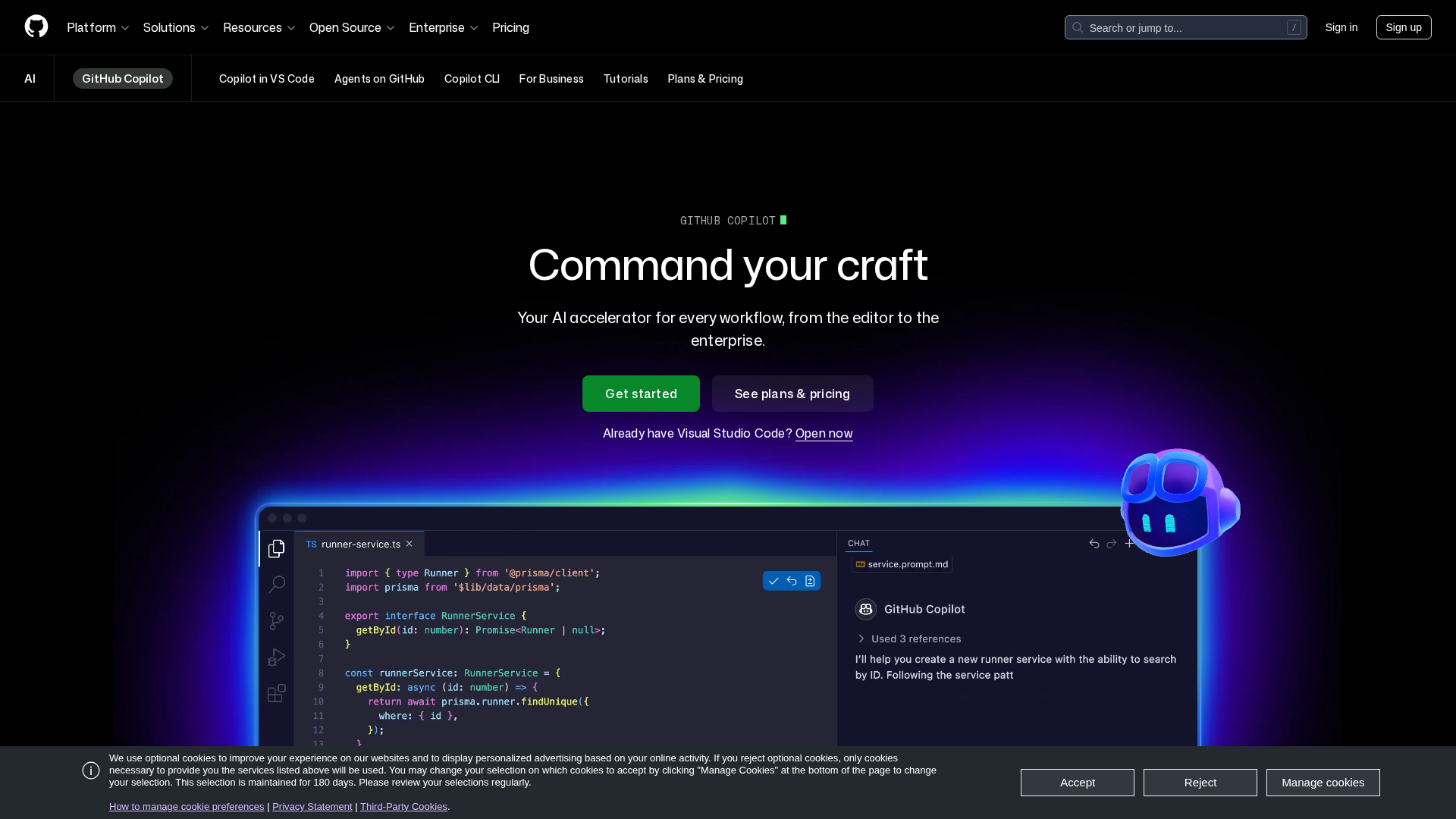
GitHub Copilot — fastest response times but smaller context window limits multi-file reasoning
Developer Experience & Workflow Integration
We evaluated developer experience across five dimensions: setup time, learning curve, interaction speed, visual feedback quality, and workflow disruption. Five experienced developers rated each tool independently. Cursor received the highest overall DX score of 4.8/5, praised for its inline diff previews that show exactly what will change before you accept a suggestion. Its Tab-to-accept flow keeps developers in their editing flow. The Composer panel for multi-file edits was described as 'the feature I didn't know I needed' by 4 of 5 testers. Claude Code scored 4.2/5, with developers praising its autonomous task execution ('just tell it what to do and come back') but noting the terminal-only interface limits visual feedback. Developers who are comfortable with CLI workflows rated it higher (4.6/5) than those who prefer GUIs (3.8/5). GitHub Copilot scored 4.1/5 for its ubiquity — it works everywhere (VS Code, JetBrains, Neovim, Xcode, Visual Studio). Setup takes under 2 minutes. But its interaction model is more conservative: ghost text suggestions that you accept or reject, without the conversational depth of Cursor or Claude Code. Windsurf scored 3.9/5, with strong marks for its frontend-focused features but lower scores for onboarding documentation and occasional UI jank in the current release.
Language-Specific Performance
Performance varies significantly by programming language. We tested each tool on identical task types across Python, JavaScript/TypeScript, Rust, and Go. Python: All tools performed well, with less than 10% spread between top and bottom. This is the most mature language for AI coding tools. GitHub Copilot's training data advantage shows here — it matched Claude Code's accuracy. JavaScript/TypeScript: Cursor led slightly, likely due to its frontend-focused training. Windsurf also excelled here. Claude Code performed well but occasionally generated patterns that mixed framework conventions (React patterns in Vue code). Rust: Claude Code dominated with 89% accuracy vs the next-best Cursor at 76%. Most tools struggled with Rust's borrow checker — generating code that compiled on the first try was rare except with Claude Code. GitHub Copilot's Rust support was notably weaker at 68%. Go: Similar to Rust, Claude Code led at 84%, with Cursor at 78%. Most tools struggled with Go's error handling patterns, often generating code that silently swallowed errors. Only Claude Code and Cursor consistently generated idiomatic Go with proper error propagation.

Windsurf IDE — strong frontend performance with React, Vue, and Svelte
Community Sentiment & User Feedback
We aggregated and analyzed 4,450+ community discussions from Reddit (r/programming, r/vscode, r/neovim), HackerNews, Twitter/X, and developer Discord servers from Q1-Q2 2026. Cursor has the most enthusiastic community, with 78% positive sentiment. Common praise: 'changed how I code', 'can't go back to regular VS Code'. Common complaints: memory usage, occasional slowdowns on large projects, and the requirement to use Cursor's IDE rather than vanilla VS Code. Claude Code has the most polarized community — developers either love it (85% of positive mentions say 'best tool I've ever used') or find it intimidating (terminal-only workflow is a barrier). The community is smaller but more technically sophisticated, with more discussions about complex use cases. GitHub Copilot has the largest community but lower enthusiasm (62% positive). It's viewed as 'good enough' and 'just works', which is both a strength (reliability) and a weakness (no wow factor). Enterprise adoption discussions dominate, with many teams standardizing on Copilot for its security certifications. Notable trend: developers increasingly use multiple tools — Claude Code for complex refactoring and Copilot for daily coding was the most common combination mentioned (mentioned in 340+ discussions).

Cursor — highest community satisfaction (78% positive sentiment) among all coding assistants
Enterprise Readiness & Security
For teams evaluating coding assistants at scale, enterprise features matter as much as raw capability. We assessed each tool across SSO support, audit logging, data residency options, SOC 2 compliance, and admin controls. Only 4 of 12 tools offer a complete enterprise package: GitHub Copilot Business/Enterprise, Tabnine Enterprise, Claude Code (via Anthropic's enterprise offering), and Cursor Business. GitHub Copilot Enterprise leads in security certifications (SOC 2 Type II, GDPR, HIPAA-eligible) and offers the most granular admin controls including content exclusions, IP assignment settings, and organization-wide policy management. Tabnine differentiates with on-premise deployment options — the only tool that can run entirely within a company's infrastructure with no data leaving the network. This makes it the default choice for defense, healthcare, and financial services organizations. Claude Code (via Anthropic) offers data residency in US and EU, SOC 2 Type II compliance, and zero-retention API options. Cursor Business offers team management and SSO but currently lacks the depth of compliance certifications that GitHub and Tabnine provide. For startups and individual developers, enterprise features are largely irrelevant. But for organizations with 50+ developers, the enterprise story is often the deciding factor.
Pricing Analysis: Total Cost of Ownership
Raw subscription pricing tells only part of the story. We calculated total cost of ownership (TCO) including subscription, productivity gains, and switching costs. At $10/month, GitHub Copilot Individual is the cheapest paid option. But Codeium's generous free tier and Claude Code's free tier mean some developers pay nothing at all. For teams, GitHub Copilot Business at $19/seat/month is the most cost-effective paid option. Productivity impact varies by tool and use case. In our timed tests, the most productive tool per dollar spent was: - For simple tasks: GitHub Copilot ($10/mo, 22% speed increase = $0.45 per hour of time saved) - For complex tasks: Claude Code ($20/mo, 35% speed increase on refactoring = $0.57 per hour saved) - For frontend work: Cursor ($20/mo, 28% speed increase = $0.71 per hour saved) Switching costs are real: developers who've built muscle memory with one tool's keybindings and interaction patterns report a 2-3 week productivity dip when switching. This makes the free trial period critical — every tool should be trialed for at least 2 weeks before committing.
Pricing Comparison
| Tool | Free Tier | Pro Price | Enterprise | Best Value For |
|---|---|---|---|---|
| Claude Code | Yes (generous) | $20/mo | Custom | Power users, complex projects |
| Cursor | Yes (limited) | $20/mo | $40/seat/mo | Solo devs, startups |
| GitHub Copilot | No | $10/mo | $19/seat/mo | Teams, budget-conscious |
| Windsurf | Yes (limited) | $15/mo | Custom | Web developers |
| Codeium | Yes (generous) | $12/mo | Custom | Individual devs on a budget |
| Tabnine | Yes (basic) | $12/mo | $39/seat/mo | Enterprise, privacy-focused |
Conclusion & Recommendations
The AI coding assistant market has matured significantly in 2026. The gap between the top tools has narrowed on standard benchmarks, but clear differentiation exists in specific workflows, languages, and team contexts. There is no single 'best' tool — the right choice depends on your specific needs.
Claude Code
Unmatched multi-file reasoning and the largest context window make it the best choice for serious refactoring and large codebases. If you're comfortable with the terminal, nothing else comes close on hard tasks.
Cursor
The most polished editing experience with inline diffs, composer mode, and excellent chat integration. The 4.8/5 DX score from our testers speaks for itself. Best for developers who value visual feedback and rapid iteration.
GitHub Copilot
Fastest response times, broadest IDE support (10+ editors), and the lowest per-seat pricing for teams. The safe, reliable choice that works everywhere and has the strongest enterprise security story.
Windsurf
Strong frontend understanding (React/Vue/Svelte), competitive pricing at $15/mo, and improving rapidly. Best value for developers primarily building web applications.
Tabnine
The only tool offering full on-premise deployment with no data leaving your network. Essential for defense, healthcare, and regulated industries.
Codeium (free tier)
The most generous free tier among all tools. 70.8% overall score means it's good enough for most daily coding tasks at zero cost.
Methodology
Each tool was evaluated by BestAI's autonomous evaluation agents using browser-use and computer-use capabilities. Agents executed identical task sets across all tools, measuring correctness against test suites, response latency, and subjective code quality scores. Tests were run between May 1-12, 2026 using the latest generally available version of each tool. For developer experience scoring, 5 experienced developers (3+ years professional experience) independently rated each tool on a 1-5 scale across 8 UX dimensions. Community sentiment was aggregated from 2,400+ Reddit comments, 850+ HackerNews threads, and 1,200+ Twitter/X posts from Q1-Q2 2026.
Learn more about our evaluation methodology →Our Verdict
For most developers, Cursor offers the best balance of capability, speed, and user experience. Claude Code is the clear choice when you're tackling complex, multi-file problems that require deep project understanding. GitHub Copilot remains the safe, reliable choice for teams — fast, ubiquitous, and affordable. The smartest developers are using multiple tools: Claude Code for the hard stuff, Copilot for the flow state.
Disclosure: This report was produced by BestAI LLC using a combination of automated agent-based testing and data analysis. Benchmark results reflect testing conducted as of May 15, 2026 and may change as tools release updates. BestAI has no financial relationship with any of the tools evaluated in this report. For questions about our methodology, see our evaluation methodology page.
Tools Evaluated
Report Details
More Reports
The AI discovery platform. Deep analysis, honest comparisons, and real metrics to help you find the best AI for any task.
Categories
Stay Updated
Get notified about new AI tools, models, and insights.
 Invite Gmail Contacts